
Last month, while wandering through the narrow alleys of Tokyo’s Tsukiji Market at 5 AM, I had my phone out recording everything. The steam rising from takoyaki stands, the precise movements of sushi masters, the colorful chaos of it all. But here’s the thing I learned the hard way: capturing amazing food moments in Japan is one thing, turning them into engaging content is completely different.
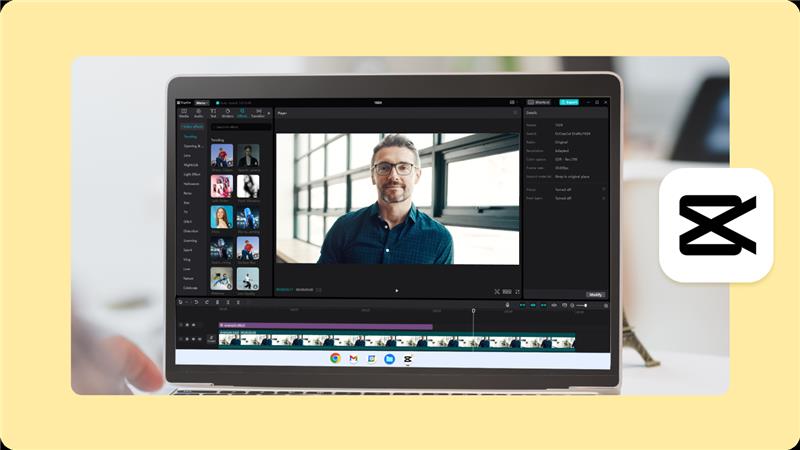
That’s when I discovered CapCut, and honestly, it changed how I approach food storytelling during my travels. After spending weeks experimenting with its AI features across ramen shops in Shibuya and traditional kaiseki restaurants in Kyoto, I can tell you this tool is a game changer for anyone serious about creating food content.
Why Food Content Creation in Japan is Different
Food in Japan isn’t just about taste. It’s theater, art, and tradition rolled into one experience. When I’m filming in a tiny 8-seat ramen shop in Harajuku or watching a chef prepare wagashi in Kyoto, I need tools that can capture not just the visuals but the story behind each dish.
Traditional video editing used to take me hours. Now with CapCut’s AI powered features, I can focus more on experiencing the moment and less on worrying about post production nightmares back in my hotel room.
CapCut Features That Transform Food Storytelling
AI Voice Generator for Authentic Narration
The AI Voice Generator became my secret weapon when describing complex Japanese cooking techniques. Instead of recording multiple takes in noisy restaurant environments, I could generate clear, natural sounding narration later. When I was documenting the delicate art of sushi preparation at Tsukiji, this feature let me explain each step without disrupting the chef’s concentration.
The quality surprised me. It doesn’t sound robotic like those old text to speech systems. Perfect for when you’re too busy enjoying amazing food to worry about perfect audio recording.
Text to Speech AI for Multilingual Content
CapCut’s text to speech AI solved a problem I didn’t even know I had. While exploring Osaka’s food scene, I realized I wanted to create content for both my English speaking audience and local Japanese viewers interested in how foreigners experience their cuisine.
I could write descriptions of okonomiyaki or takoyaki in English, then generate Japanese narration instantly. This opened up conversations with locals who appreciated that I was making an effort to bridge cultural gaps through food content.
AI Video Upscaler for Professional Quality
Here’s where things get practical. Japanese food presentation is an art form. Every grain of rice, every drop of sauce matters. But shooting in dimly lit izakayas or crowded street food markets often means compromising on video quality.
The AI Video Upscaler saved footage I thought was unusable. That magical moment when yakitori gets perfectly grilled, or the way light hits a bowl of steaming ramen, these details now come through crisp and appetizing even when shot on my phone in challenging conditions.
Real World Applications During My Japan Food Journey
Street Food Documentation
Tokyo’s street food scene moves fast. Vendors work quickly, crowds gather, moments happen and disappear. CapCut’s quick editing tools meant I could create engaging snippets while still fresh from the experience. Whether documenting taiyaki stands near temples or the organized chaos of festival food stalls, the efficiency was incredible.
Restaurant Review Videos
From hole in the wall ramen shops to Michelin starred establishments, each dining experience in Japan tells a unique story. CapCut helped me capture not just the food but the atmosphere, the service rituals, the cultural context that makes Japanese dining so special.
The AI voice features were particularly useful for explaining subtle differences between regional ramen styles or describing the progression of flavors in a traditional kaiseki meal.
Cooking Tutorial Content
Some of my most popular content came from learning to make Japanese dishes from locals. Teaching tamagoyaki technique or proper dashi preparation requires clear, step by step narration. CapCut’s text to speech capabilities turned my messy cooking notes into polished instructional content.
Why This Matters for Food Content Creators
Creating food content in Japan presents unique challenges. Language barriers, cultural sensitivities, technical limitations of mobile filming. CapCut addresses these practical issues while maintaining the authenticity that makes food content compelling.
The platform democratizes professional quality content creation. You don’t need expensive equipment or technical expertise to tell compelling stories about Japanese food culture. This accessibility means more diverse voices can share their perspectives on Japan’s incredible culinary landscape.
If you’re planning food focused travels, whether to explore regional Indian cuisines or venture internationally, having reliable content creation tools makes all the difference in capturing and sharing those magical food moments.
Practical Tips for Using CapCut in Japan
Download and familiarize yourself with the interface before traveling. Hotel wifi can be spotty, and you want to be comfortable with the tools when inspiration strikes.
The AI features work best with clear, descriptive text input. Instead of writing “good ramen,” describe “rich tonkotsu broth with perfect noodle texture and tender chashu pork.” The more specific your descriptions, the better the AI generated content.
Battery management is crucial when creating content on the go. CapCut’s efficient processing means less drain on your device, but always carry portable chargers when exploring Japan’s food scenes.
Beyond the Technology
What I appreciate most about using CapCut for food storytelling in Japan is how it removes technical barriers between experiencing amazing food and sharing those experiences meaningfully. The tool becomes invisible, letting the food, the culture, and the stories take center stage.
Japanese food culture values precision, respect, and continuous improvement. CapCut embodies these same principles in its approach to content creation tools. It’s not flashy or overcomplicated, just effective at helping creators tell better stories.
Whether you’re documenting local food scenes closer to home or planning international food adventures, having the right tools transforms how you capture and share culinary experiences.
Frequently Asked Questions
Is CapCut free to use for food content creation?
Yes, CapCut offers robust free features including basic AI tools. Premium features are available for advanced functionality, but the free version handles most food content creation needs effectively.
Can CapCut handle 4K video from modern smartphones?
Absolutely. The AI video upscaler actually enhances 4K footage, making it ideal for capturing fine details in Japanese food presentation where visual quality is crucial.
Does CapCut work offline while traveling in Japan?
Basic editing functions work offline, but AI features like voice generation and video upscaling require internet connection. Download the app and sync projects when you have wifi access.
How accurate is the Japanese text to speech feature?
The Japanese text to speech is quite good for basic food descriptions. For complex cultural explanations or technical cooking terms, having a native speaker review is recommended.
What file formats does CapCut export for social media?
CapCut exports in multiple formats optimized for different platforms. You can create vertical videos for TikTok, square formats for Instagram, and standard horizontal for YouTube from the same project.
